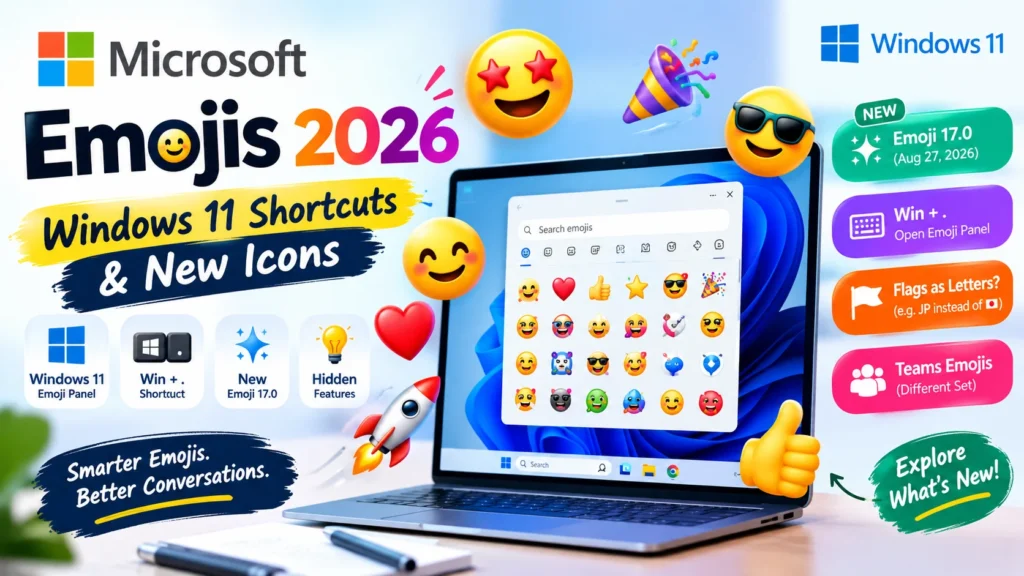
Microsoft emojis are the Windows 11, Windows 10 and Xbox emoji designs (the Segoe UI Emoji font, now in Microsoft’s Fluent 3D style), while Teams uses a separate animated emoji set. Open the Windows emoji keyboard with Win + .; Windows 11 now supports Emoji 17.0, but country flags still appear as letters.
📊 Microsoft Emoji Sets Compared
| Set | Where you see it | Style | Updates |
|---|---|---|---|
| Windows 11 (Fluent) | Windows 11 emoji panel and apps | 3D Fluent, replacing the older 2D version in most places | Emoji 17.0 rolling out since Aug 27, 2026 |
| Windows 10 | Windows 10 PCs | Flat, simplified | None since the May 2019 Update (Emoji 12.0) |
| Teams / Skype | Teams chats and reactions | Separate animated emoticon set | Follows Teams, not Windows |
| Fluent open-source library | GitHub and Figma | Downloadable designs (MIT license) | Excludes trademarked art like Clippy |
⌨️ How to Open the Emoji Keyboard on Windows
Press Windows key + . (period) or Windows key + ; (semicolon) with your cursor in any text field. Type a word to search, or browse the tabs.
- Use the period on the main keyboard. The numpad period doesn’t work.
- Windows 11’s panel also has GIF, Kaomoji, Symbols and Clipboard history tabs.
- Some Windows 11 builds add an “Emoji and more” icon to the system tray as an alternative.
- Shortcut does nothing? Restart, then test in Notepad. Some users on Microsoft’s forums fixed it by adding English (United States) as a language.
In Microsoft Teams
Teams has its own reaction picker and typed shortcuts. Per Microsoft’s Teams (free) support page, an emoji with a gray dot can be personalized (skin tone, for example) by right-clicking on desktop or press-and-hold on mobile.
🆕 Which Emoji Version Does Windows 11 Support?
| Emoji version | Reached Windows 11 | Examples |
|---|---|---|
| 15.1 | Mid-2024 update to 23H2 | 🙂↔️ 🙂↕️ |
| 16.0 | Glyph support arrived in 24H2 servicing updates in late summer 2025; Microsoft’s Insider notes of Feb 9, 2026 then listed the new emoji in the Win + . panel | Face with Bags Under Eyes, Fingerprint |
| 17.0 | From Aug 27, 2026; all users after Windows 11 26H2 on Sept 29, 2026 | Distorted Face, Fight Cloud |
Microsoft’s own Insider build notes list the Emoji 16.0 additions as Face with Bags Under Eyes, Fingerprint, Root Vegetable, Leafless Tree, Harp, Shovel and Splatter. Emoji 17.0 also adds a hairy creature, an orca, a landslide, a trombone and a treasure chest. If a new emoji shows as an empty box, your Windows build or the app doesn’t support that version yet. Update Windows first.
🇯🇵 Why Flags Show as Letters on Windows
Segoe UI Emoji has no national-flag graphics, so Windows shows the two-letter country code instead: 🇻🇳 appears as “VN”, 🇯🇵 as “JP”. A Microsoft Q&A moderator confirmed this in September 2025.
| Platform | How 🇯🇵 appears |
|---|---|
| Windows (most apps and browsers) | Letters: “JP” |
| Firefox on Windows | Flag, because it ships its own emoji font |
| iPhone, iPad, Mac | Flag |
A flag sent from an iPhone can therefore arrive as letters on a Windows PC. Website owners can use a flag-emoji polyfill to show flags to Windows visitors.
🔄 Will the Other Person See the Same Emoji?
No. Unicode defines the character and its official name; each platform draws its own artwork. You send the character, and the recipient’s device picks the picture.
Dana (Windows laptop): Sorry, running ten minutes late 😅
Omar (phone): No stress, see you soon!
Dana means a light, sheepish apology. Small drawing differences, like how wide the smile is, can nudge how awkward or cheerful the face looks on Omar’s screen. If tone matters (an apology, a delicate request), put it in words and let the emoji be the accent.
📎 Clippy and Using Microsoft’s Emoji Art
Microsoft’s 2021 redesign turned 📎 into Clippy across Microsoft 365 apps. Clippy and other trademarked designs are not part of the open-source release.
Copy-paste doesn’t carry Microsoft’s artwork. It moves only the Unicode character, which renders in whatever style the destination uses. To get the actual images, use the Fluent emoji library: Microsoft released most of it (about 1,500 designs) under the MIT license on GitHub and Figma. Check the repository’s license before commercial use.
❓ Follow-Up Questions
Why do Teams emojis look different from Windows emojis?
Teams uses its own animated set, separate from the Windows system font.
Does Windows 10 get new emojis?
No. Its last emoji update was the May 2019 Update.
Are Microsoft emojis the same as Apple’s?
Same Unicode characters, different artwork.
Why are some emojis black and white?
Some apps still render an older monochrome emoji font. Updating the app or using one that follows the system color font usually fixes it.
Can I add my own GIFs to the Windows emoji panel?
The sources I reviewed don’t describe a supported way to do it.
DISCOVER MORE ARTICLES
Old Emojis That Make You Look Outdated (and What to Use)
Different Emojis Explained: Types, Meanings & How to Choose
Emojis for Laptop: Open the Emoji Picker in Seconds (2026)

Shahzad
Hi, I’m the creator behind EmojiNova, a passionate emoji enthusiast who loves exploring the fun and creative world of digital communication. I enjoy helping people discover emoji meanings, understand emoji symbols, and find the perfect emojis to express their feelings.
Through EmojiNova, my goal is to make online communication easier, more expressive, and more enjoyable. Whether you’re looking for emoji meanings, symbol explanations, or creative ways to use emojis in everyday conversations, I’m here to help you express yourself with confidence.
Thanks for being part of the EmojiNova community!