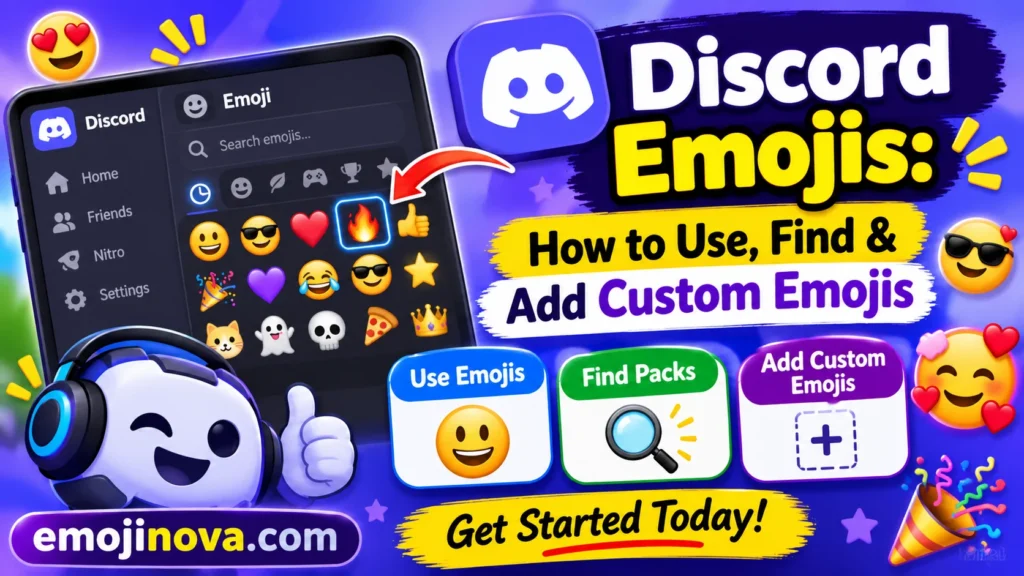
Everyone on Discord can use standard emojis (😀 🔥 ✅). Custom server emojis work only in their own server, unless you have Nitro or Nitro Basic. Insert them with the emoji picker, a :shortcode:, copy-paste, or a reaction. Server admins can upload their own.
Related: Discord emoji list, Discord emoji reactions, custom Discord emojis, Discord emoji limits, free Discord emoji packs.
Quick answers: what do you want to do?
| Goal | Fastest way | Nitro needed? |
|---|---|---|
| Send a normal emoji | Click the grey smiley icon, or type :fire and pick | No |
| React to a message | Hover and click the add-reaction icon (long-press on mobile) | No |
| Use a server’s custom emoji in that server | Picker or :name: | No |
| Use custom emojis in DMs or other servers | Same steps | Yes (Nitro or Nitro Basic) |
| Find new custom emojis | Libraries like emoji.gg or myEmotes | No |
| Add an emoji to your server | Emoji Picker → Add Emoji, or Server Settings → Emoji | No |
| Put an emoji in a channel name | Type or paste it into the channel name | No |
The kinds of Discord emoji
| Type | Example | Who can use it | Where it works |
|---|---|---|---|
| Standard emoji | 😂 ✅ 🎉 | Everyone | Every server and DM |
| Custom emoji | :partyblob: | Members of that server | Only that server, unless the user has Nitro or Nitro Basic |
| Animated custom emoji | A moving GIF-style emoji | Members of that server | Same rule as custom emojis |
| Twitch emote (synced) | A streamer’s emote | Linked, subscribed users | Across servers |
Discord’s support page says that without Nitro you can’t use another server’s custom emojis, and typing one shows only its text code. An admin can also turn off outside emojis in their server, which is why some servers never show up in your picker.
Standard emojis don’t look identical everywhere. Discord uses its own artwork, a descendant of Twemoji, and Emojipedia says its latest update added designs for Emoji 17.0 in November 2025. A 😅 on Discord can look a little different from the same emoji on your phone keyboard.
How to use emojis on Discord
Picker and shortcodes
Click the grey smiley icon at the right of the message box. Custom emojis are grouped by server and recent ones sit at the top. Faster: type a colon plus a few letters, like :fire, and choose from the list. An emoji with a lock and purple background is a custom emoji you can’t use outside its server without Nitro.
Keyboard shortcut and copy-paste
On Windows, press Windows key + period to open the emoji panel. On a Mac, press Control + Command + Space. Both are built-in shortcuts. You can also paste an emoji copied from any website, and Discord will show it in its own artwork.
Reactions
Hover over a message and click the add-reaction icon, or long-press on mobile and pick a suggested emoji or open the full picker, as Zapier’s guide walks through. Any emoji works, and matching reactions are counted together, which makes them good for quick votes. If reactions are missing, an admin may have switched them off under Server Settings → Chat.
Emojis in channel names
Admins can put emojis in text, voice, and category names. Many servers use one emoji at the start to group channels, such as 📢 for announcements or 🎮 for gaming. That’s a common habit, not a Discord rule.
Which emojis to use in Discord
Discord has no official meaning list, and tone changes from server to server. These are common uses.
| Situation | Emojis | Typical use |
|---|---|---|
| Votes and approvals | 👍 ✅ ❌ | Yes/no polls, “done”, “approved” |
| Acknowledging | 👀 🫡 | “Seen it” or “noted” |
| Thanks and support | 🙏 ❤️ 💜 | Thanking helpers or supporting a post |
| Laughing | 😂 🤣 💀 😭 | Reacting to jokes |
| Celebrating | 🎉 🥳 🔥 🏆 | Wins, milestones, good clips |
| Announcements | 📢 📌 🔔 | Rules, pinned info, event pings |
| Gaming | 🎮 🕹️ ⚔️ 🎯 | Game channels and match calls |
| Moderation | 🛡️ 🔨 ⚠️ | Mod notices and warnings |
One to watch: 💀. Emojipedia notes that it’s often used as a laughing emoji, as in “I’m dead,” and Dictionary.com gives “LOL I’m dead 💀” as an example. It can still mean literal death in memorial or horror posts, and it’s not the same as ☠️ (skull and crossbones). If a message needs a clear decision, such as a ban, a deadline, or a refund, say it in words, not just an emoji.
Where to find custom Discord emojis
Libraries. emoji.gg hosts user-submitted emojis and packs, and has a bot that adds them to servers. myEmotes lists free downloads, each with a creator-set license. Check that license before using a pack on a public or monetized server. Hootsuite warns that some download sites can carry malware, so stick to well-known ones.
Make your own. Tools like emoji.gg’s maker, MakeEmoji, and Kapwing can create emojis, according to one roundup.
Twitch emotes. Sync your Twitch account, subscribe to a streamer who enables it, and join their sub-enabled server. Animated Twitch emotes sync as static images only; upload the animated version manually if you want it.
How to add custom emojis to your server
You need the Manage Emojis or Create Expressions permission, or be the owner.
Method 1: from the picker
- Open the Emoji Picker and choose Add Emoji to open Emoji Studio.
- Pick a file, then resize, rotate or zoom it.
- Name it, choose the server, and select Upload Emoji.
Method 2: from settings
- Go to Server Settings → Emoji.
- Click Upload Emoji, choose your file, and name it.
| Item | Rule |
|---|---|
| Formats | JPEG, PNG, GIF, WEBP |
| File size | Under 256 KB |
| Name | At least 2 characters, letters, numbers, and underscores only |
| Default slots | 50 static; Discord says Nitro or Nitro Basic unlocks 50 more for animated emojis |
| With Server Boosts | Discord’s blog lists 100, 150, and 250 at Boost Levels 1, 2, and 3 |
Discord’s own pages describe animated slots in more than one way, so check Server Settings → Emoji for your server’s actual counts.
You no longer have to pre-size images. Discord’s November 2025 changelog says the new editing screen handles resizing and cropping at upload. A tight crop still helps, because emojis show very small in chat (around 32 to 48 pixels, per myEmotes).
Plan your slots before you fill them
Fifty slots go quickly. These are suggestions, not Discord rules:
- Start with what your members already react with: approve, decline, thanks, laugh, “seen”. Add in-jokes after.
- Use shared name prefixes, like
mod_warnandmod_ban. The settings list sorts by name, so sets stay together, and typing:mod_narrows the picker. - Check each emoji at real chat size before keeping it. Detailed art that looks great at upload often turns to mush when small.
- Delete what nobody uses when you’re full, rather than boosting just for slots. A boost is a subscription benefit, and if boosts expire, emojis above the new limit can become unavailable.
Discord emoji not working: fixes
| Problem | Likely cause | Fix |
|---|---|---|
Shows :name: as text | Custom emoji from another server, no Nitro | Use a standard emoji or get Nitro/Nitro Basic |
| Server missing from picker | Admin disabled outside emojis | Ask the admin |
| Can’t upload | No permission, slots full, file over 256 KB, or invalid name | Fix whichever applies |
| Emoji greyed out | Animated, or locked to another server | Needs Nitro there |
| Emojis disappeared | Server lost a Boost Level | Boost it back |
| Typed smiley became an emoji | Automatic emoticon conversion | Turn it off under User Settings → Text & Images |
| Brand-new emoji looks blank | Platform hasn’t added it yet | Wait, or use a similar emoji |
Discord emoji FAQs
Do I need Nitro to use emojis on Discord?
No. Standard emojis and your own server’s custom emojis are free. You need Nitro or Nitro Basic only for custom emojis in DMs or other servers.
How do I get a custom emoji’s ID?
On desktop and iOS, put a backslash before it, like \:CustomEmoji:, and send it. Community members report it doesn’t work on Android.
Why do some emojis look bigger?
Emoji-only messages display larger, but not in compact mode.
Is an emoji’s meaning official?
No. Unicode sets names and codes. Social meanings come from how communities use them.
DISCOVER MORE ARTICLES
Fire Emojis : What They Mean in Texts (and How to Reply)
Emojis Cute: Copy the Best Ones + What Each One Really Says
iOS 26.4.2 Emojis: No New Ones, but You Have 8 From 26.4

Shahzad
Hi, I’m the creator behind EmojiNova, a passionate emoji enthusiast who loves exploring the fun and creative world of digital communication. I enjoy helping people discover emoji meanings, understand emoji symbols, and find the perfect emojis to express their feelings.
Through EmojiNova, my goal is to make online communication easier, more expressive, and more enjoyable. Whether you’re looking for emoji meanings, symbol explanations, or creative ways to use emojis in everyday conversations, I’m here to help you express yourself with confidence.
Thanks for being part of the EmojiNova community!