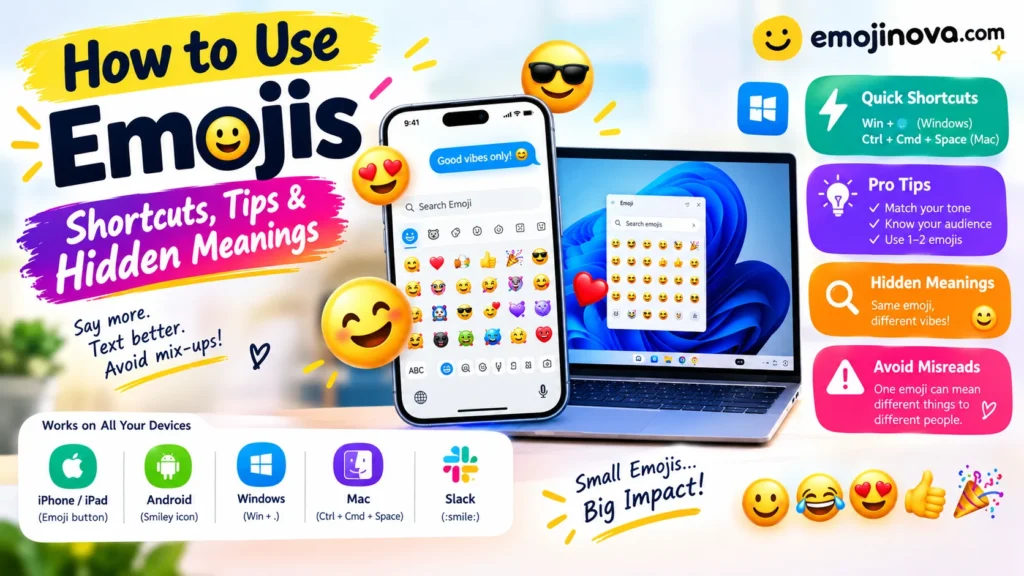
To use emojis, open your device’s emoji keyboard (the smiley or globe icon on a phone, Windows key + period on Windows, Control + Command + Space on a Mac), then tap or click the emoji you want. To use them well in texts, chats, and email, add one or two that match your tone and think about who is reading, because the same emoji can mean different things to different people.
How to Open the Emoji Keyboard on Any Device
| Device or app | How to open the emoji picker | Useful to know |
|---|---|---|
| iPhone / iPad | Tap the emoji or globe button on the keyboard | Has a Search Emoji field; touch and hold for skin tones |
| Android (Gboard) | Tap the smiley icon on the keyboard | Includes an emoji search bar |
| Windows | Windows key + period (.) | A semicolon (;) also works for many users; the panel also holds GIFs, kaomoji, and symbols |
| Mac | Control + Command + Space, or Edit > Emoji & Symbols | Opens the Character Viewer, which you can search |
| Slack | Type a colon and a code, such as 🙂 | Or click the smiley icon in the message box |
| Anywhere else | Copy an emoji from a reference site and paste it | Works because emojis are text characters |
iPhone and iPad
Tap the text field, then tap the emoji button (or the globe). Swipe through the categories, use the clock tab for recently used emojis, or type a word into Search Emoji. To change the skin tone of an emoji that offers one, touch and hold it.
Can’t see the emoji button? Go to Settings > General > Keyboard > Keyboards > Add New Keyboard, then choose Emoji.
Two Apple features save time. In Messages, after you type a sentence and open the emoji keyboard, some words turn orange; tap one to swap it for an emoji. With Predictive turned on, the keyboard also suggests emojis as you type.
Android
On Gboard, tap the smiley icon to open the emoji menu, then use Search Emoji to type what you want, such as “party” or “heart”, instead of scrolling. Other keyboards (Samsung, SwiftKey) place the button differently, so look for the smiley or emoji icon near the space bar.
Windows
Click into a text field and press the Windows key and the period key together. Microsoft community answers suggest trying the semicolon if the period shortcut does nothing. If neither works, check that you are on Windows 10 (Fall Creators Update) or later and restart the app.
Mac
Click where you want the emoji, then press Control + Command + Space. You can also choose Edit > Emoji & Symbols in most apps. If the menu item is missing, that app does not support emoji input. Search the viewer by word, or click and hold an emoji (such as a person) to see variations.
Slack and work chat
Type a colon followed by a word (:thumbsup:) and pick from the suggestions, or open the smiley menu. Slack’s own help page also notes that a reaction can often replace a follow-up message, which keeps threads shorter.
Websites and documents
Paste the emoji directly. Emojis are text characters, so a web page should use UTF-8 encoding to display them correctly.
Skin tones
Touch and hold (phone) or click and hold (Mac) an emoji that offers tones. In Slack, click the hand icon in the emoji menu to set a default. In WhatsApp, the tone you pick becomes the default for that emoji, so check it before you send.
Emoji Showing as a Square or Empty Box?
A square usually means the device does not support that emoji yet. This happens when someone sends a newer emoji to an older phone or computer. Update the operating system, or add a few words so your message still makes sense if the emoji does not display. The 🫂 People Hugging emoji, for example, is newer and may appear as a box on older devices.
How Emojis Behave in Popular Apps
| App | How to add emojis | Worth knowing |
|---|---|---|
| Tap the emoji icon in the chat box | Skin tone choice becomes your default for that emoji | |
| Messages (iPhone) | Emoji keyboard, tap-to-replace words, or Predictive | Words turn orange when they can be swapped |
| Slack | Colon codes or the smiley menu | Reactions can stand in for a reply |
| Business SMS | Paste or type as normal | An emoji can drop the limit from about 160 to 70 characters per message segment, so a short text may split into two or three |
How to Choose the Right Emoji for Your Tone
Use an emoji when it adds something your words cannot: warmth, humor, regret, or enthusiasm. Text has no facial expression or voice, and one small icon can fill that gap.
| What you want to do | Emojis that commonly fit | Example |
|---|---|---|
| Soften a request or refusal | 🙂 😊 🙏 | “Can’t make tonight, sorry! 🙏” |
| Show you are joking | 😂 😅 🙃 | “I’m definitely not procrastinating 😅” |
| Celebrate | 🎉 👏 🥳 | “You passed! 🎉” |
| Comfort someone | 🤗 💛 🫂 | “Here if you need me 💛” |
| Confirm or acknowledge | 👍 ✅ | “Got it ✅” |
| Say thank you | 🙏 💛 | “Thank you so much 🙏” |
These are common conventions, not official rules. Unicode standardizes each emoji’s name and code, but it does not decide how people use them in conversation.
Four examples (illustrative, not real messages)
1. Softening a refusal
Dana: I can’t make it tonight.
Dana (second version): I can’t make it tonight 😔 Rain check?
The first message can feel flat. In the second, the emoji signals regret and the question offers a new plan.
2. A work reply that is hard to misread
Marcus: Can you send the report before 3?
Elena: Done ✅ It’s in your inbox.
A checkmark confirms the task is complete. It carries no tone that could be read two ways.
3. One emoji, two readings
Nadia: Sure, I’ll cover Saturday 🙂
One reader hears “happy to help.” Another hears “I’m not thrilled.” If the relationship or the situation is unclear, add words: “Sure, I’ll cover Saturday, happy to help 🙂”.
4. Comfort without mixed signals
Zara: My interview went badly.
Sam: That’s rough. I’m here if you want to talk 💛
Sam’s reply would land very differently with 😂, which signals laughter at a moment that calls for care.
Where to Put an Emoji and How Many to Use
- At the end of a sentence is the most common spot. Grammarly’s guidance is to place the emoji after the punctuation.
- Replacing a word works in casual chat (“Pizza tonight 🍕?”) when the emoji is obvious.
- At the start of a list item or heading helps readers scan announcements and newsletters.
- Repeated emojis (🎉🎉🎉) add intensity but look careless in formal writing.
How many? Most professional guides suggest one or two per message. A simple test: delete every emoji. If the message still makes sense, the emojis are tone, which is their job. If it no longer makes sense, you have replaced words the reader needed.
Why the Same Emoji Gets Read Differently
Emoji meaning depends on age group, community, and relationship. These surveys are regional and some were run by companies, so treat them as patterns, not universal rules.
| Emoji | One common reading | Another common reading | Source |
|---|---|---|---|
| 🙂 Slightly Smiling Face | Pleased or friendly (64% of Gen X and 73% of Baby Boomers in an Australian survey) | Passive-aggressive (about half of Millennials and Gen Z in the same survey) | people2people Recruitment |
| 👍 Thumbs Up | Agreement or “OK” (rated the most appropriate work emoji by 82% of employees in one report) | A brusque way to end a chat, according to some younger workers | HRD report; NZ recruiter |
| 💀 Skull | Dark humor or sarcasm (30% of Gen Z in a Vodafone Australia survey) | Exhaustion (Millennials) or a warning (many older respondents) | Vodafone Australia |
A linguist quoted in the Vodafone research said the same emoji can signal enthusiasm, sarcasm, or stress depending on who sends and who receives it.
What to Use in Each Situation
| Situation | Safe approach | Be careful with |
|---|---|---|
| Close friends | Almost anything; match their style | Inside jokes others may see |
| Family | Hearts, thanks, simple smiles | Slang emojis older relatives may misread |
| Work chat | 👍 ✅ 🙏 👏, one at a time | Sarcastic or suggestive emojis |
| Message to your manager | Mirror what they send; otherwise use words | Using emojis first with someone senior |
| Formal email or job application | Usually none | Any emoji |
| Bad news or serious topics | Words first | A lone emoji as a reply |
| Social posts and marketing | Emojis as signposts or bullets | Long strings; screen readers read each one aloud |
Two workplace findings are worth knowing. In a New Zealand study, 42% of people aged 55 and over thought emojis were unprofessional at work, and about half of those over 45 said it was inappropriate to send one to the boss. In another report, three in ten employees had misinterpreted a colleague’s emoji and 27% had felt offended by one.
Common Mistakes
- Using an emoji you do not fully understand. Look up 🫠 (Melting Face) or 🥹 (Face Holding Back Tears) before using them. The official name does not always match how people use it.
- Sending mixed signals. A laughing 😂 on a serious complaint leaves the reader unsure whether you are upset or amused.
- Letting an emoji replace an apology or bad news. Say it in words first.
- Using suggestive emojis at work. In one report, the aubergine (91%), poo (82%), peach (81%), and kiss mark (78%) were rated most inappropriate for work.
- Overusing them. Too many make a message harder to read, not warmer.
- Assuming everyone sees the same picture. Apple, Google, and Microsoft draw their own versions, so small differences in expression are normal.
Three questions to ask before sending
- What am I adding: warmth, humor, emphasis, or clarity?
- Will this reader understand it the way I mean it?
- Does the message still work without it?
Frequently Asked Questions
Is it okay to use emojis at work?
Often yes, especially in chat tools, but it depends on your workplace and your reader. Start with simple, widely understood ones (👍 ✅ 🙏) and mirror what your colleagues do.
Which emojis are safest at work?
In one report, employees rated the thumbs up (82%), clapping hands (64%), and handshake (62%) as the most appropriate. Because it is a single survey, use it as a guide, not a rule.
Can I use emojis in email?
In casual or internal email, usually yes. In formal email, job applications, or a first message to someone senior, leave them out unless the other person uses them first.
Why do emojis look different on someone else’s phone?
Unicode defines each emoji’s code and name, but each company draws its own artwork. The meaning is the same; the face can look slightly different.
Why can’t I find the emoji keyboard on my iPhone?
It may be turned off. Go to Settings > General > Keyboard > Keyboards > Add New Keyboard, then choose Emoji.
The Windows emoji shortcut doesn’t work. What now?
Try the Windows key plus semicolon, make sure your cursor is in a text field, and check that Windows is up to date.
Do emojis make a text message longer?
In plain SMS, adding one can change the encoding so each message segment holds about 70 characters instead of 160. App-based chats such as WhatsApp or iMessage are not affected the same way.
How do I find out what an emoji means?
Check an emoji reference site for the official name and common uses. For slang or generational meaning, see how people your reader’s age use it, and skip it for anything important if you are still unsure.
DISCOVER MORE ARTICLES
Microsoft Emojis 2026: Windows 11 Shortcuts & New Icons
Old Emojis That Make You Look Outdated (and What to Use)
Different Emojis Explained: Types, Meanings & How to Choose

Shahzad
Hi, I’m the creator behind EmojiNova, a passionate emoji enthusiast who loves exploring the fun and creative world of digital communication. I enjoy helping people discover emoji meanings, understand emoji symbols, and find the perfect emojis to express their feelings.
Through EmojiNova, my goal is to make online communication easier, more expressive, and more enjoyable. Whether you’re looking for emoji meanings, symbol explanations, or creative ways to use emojis in everyday conversations, I’m here to help you express yourself with confidence.
Thanks for being part of the EmojiNova community!